Spreadsheet template · Excel / Google Sheets · v2
AU Tradie Job Costing & Quote Builder
Quote in 5 minutes, never underprice a job, look professional, and have GST handled, whether you're registered or not. Built for Australian sole-trader and small-crew tradies.
Buy, A$19Free sample quote (PDF)
Instant .xlsx download via Payhip · Excel 2016+/365 (Windows & Mac), Google Sheets, LibreOffice · No macros, no subscription. Screenshots use fictional example data for “Example Electrical”.
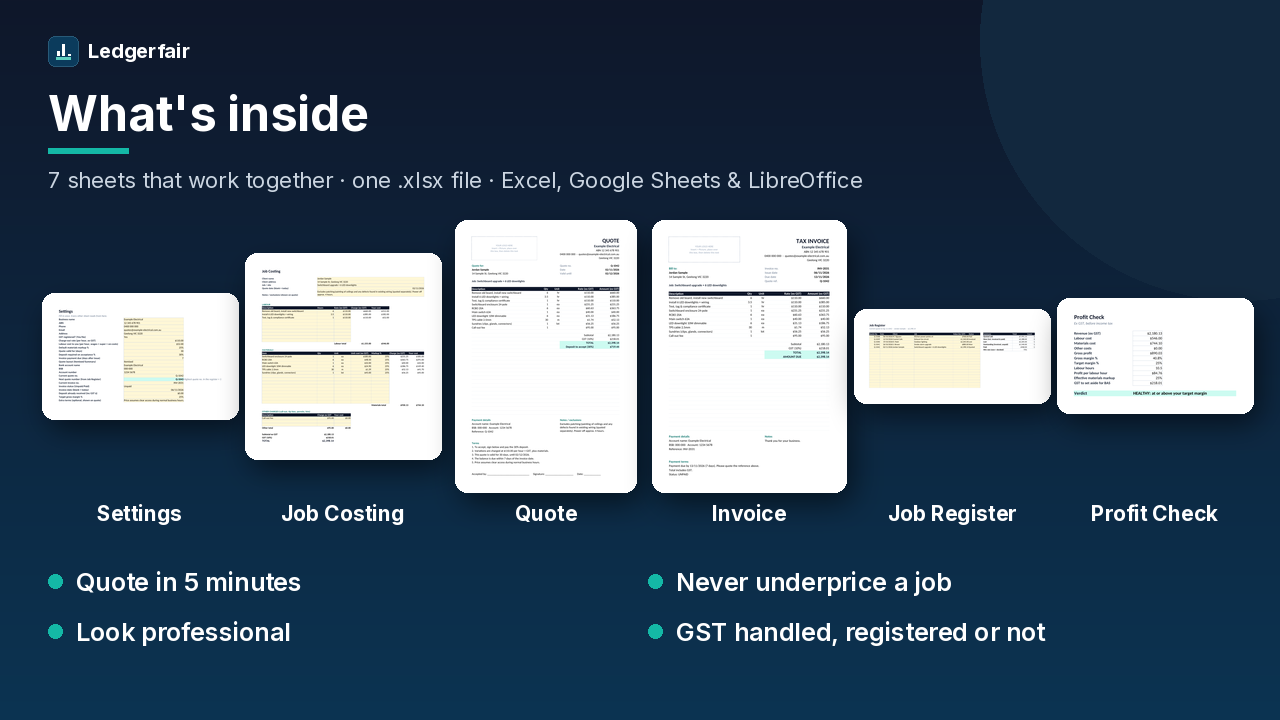
Who it's for
- Sole traders and small crews: sparkies, plumbers, chippies, painters, tilers, landscapers, handypeople.
- Anyone quoting labour + materials who wants a clean quote and invoice without paying for job-management software every month.
- GST registered or not. A toggle handles both.
Sheet by sheet
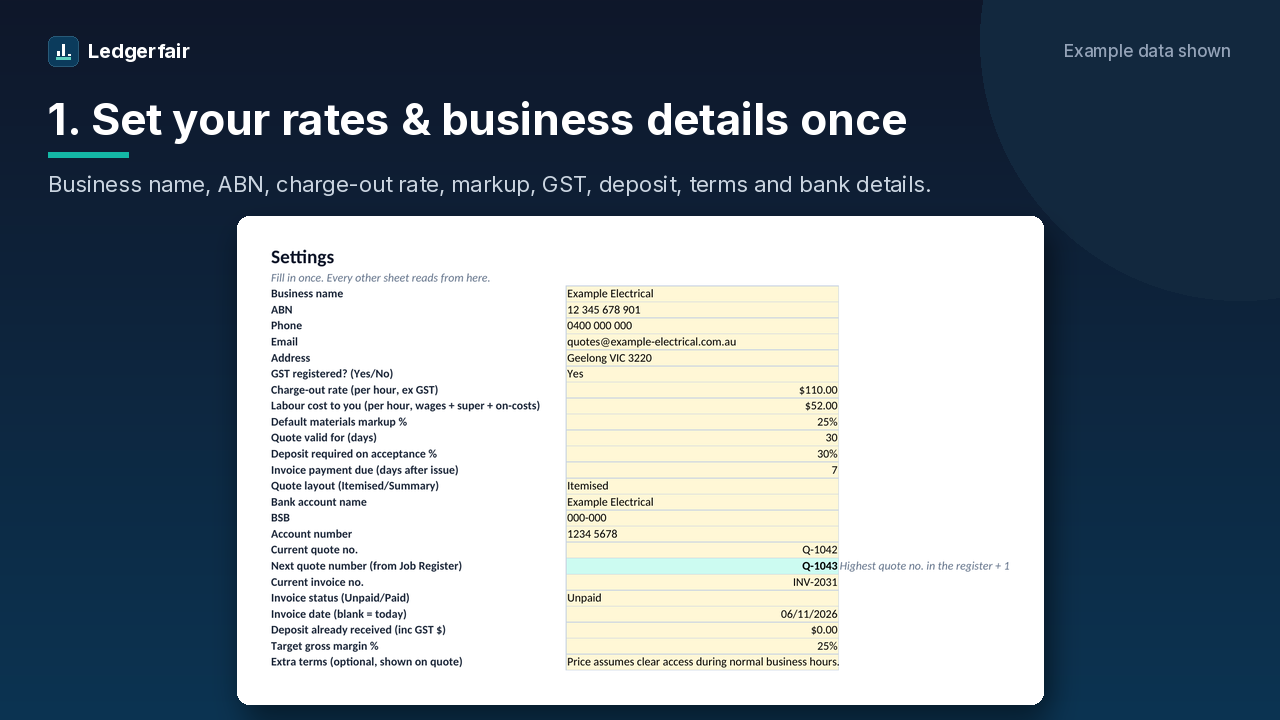
1. Settings: set up once
Business name, ABN, phone, email, address, GST registered (Yes/No), charge-out rate, your labour cost per hour, default markup, deposit %, quote validity, payment days, bank details (account name, BSB, number), itemised or summary quote layout, and an optional extra term. Every other sheet reads from here.
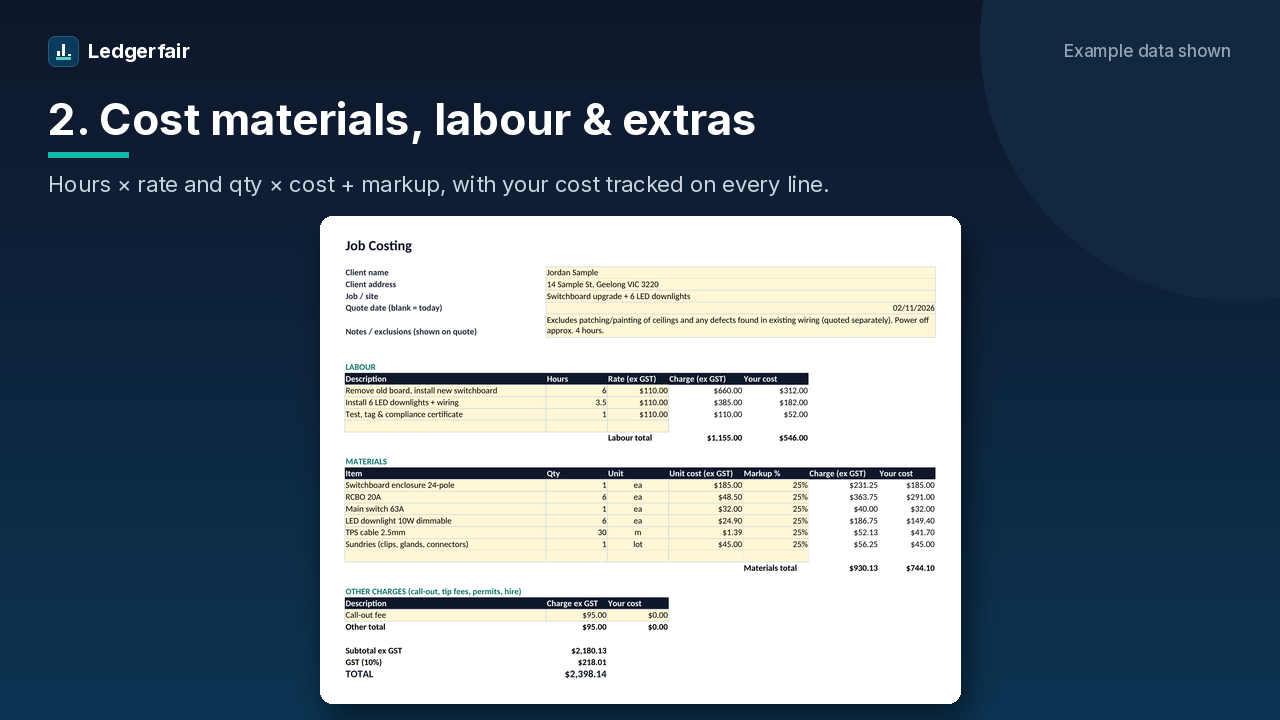
2. Job Costing: labour, materials and extras
Client and job details, notes/exclusions, up to 10 labour lines (hours × rate), 15 materials lines (qty × unit cost + markup, with units like ea, m or lot) and 3 other charges such as call-out or tip fees. Rate and markup only appear once you type a description, so blank rows stay clean. Your own cost is tracked on every line.
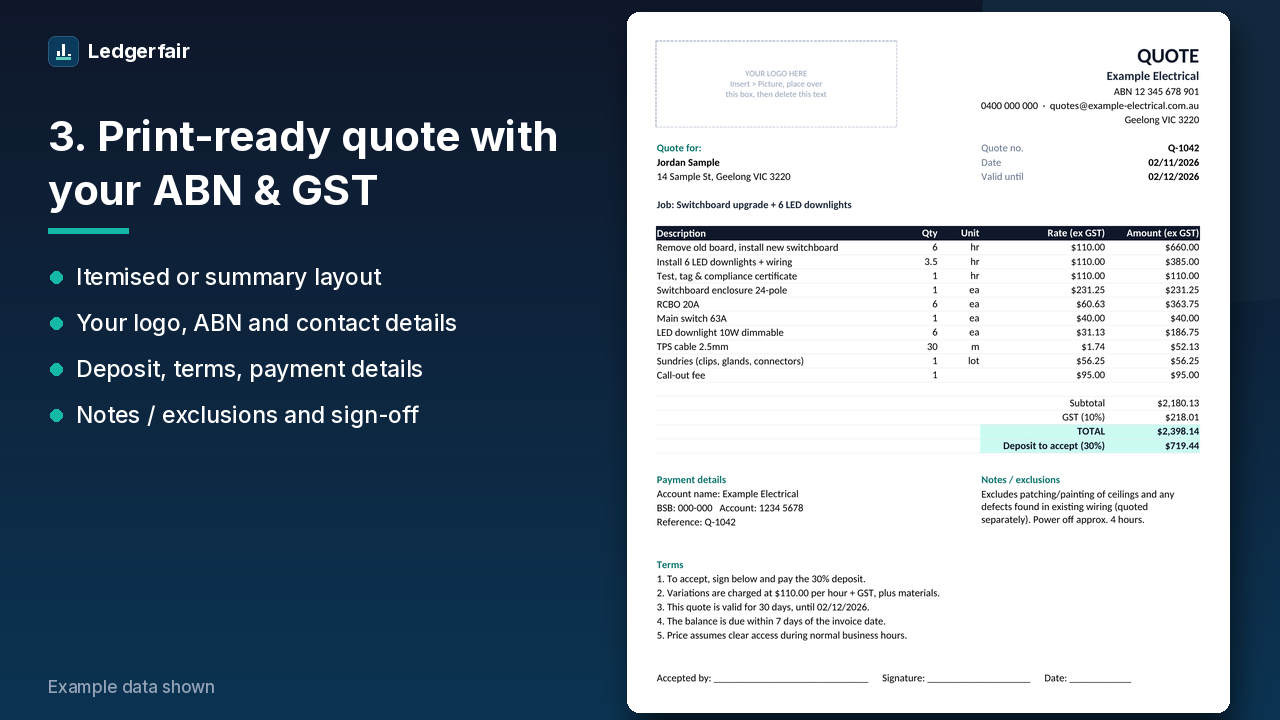
3. Quote: itemised, print-ready, one page
Fills itself in. Logo box, your business details and ABN, client, quote number, date and valid-until date, every line item (description, qty, unit, rate, amount) or a short Labour/Materials/Other summary, then subtotal, GST, total and the deposit to accept. Below that: payment details, notes/exclusions, terms (deposit, variations at your hourly rate, validity, payment days) and a sign-off line.
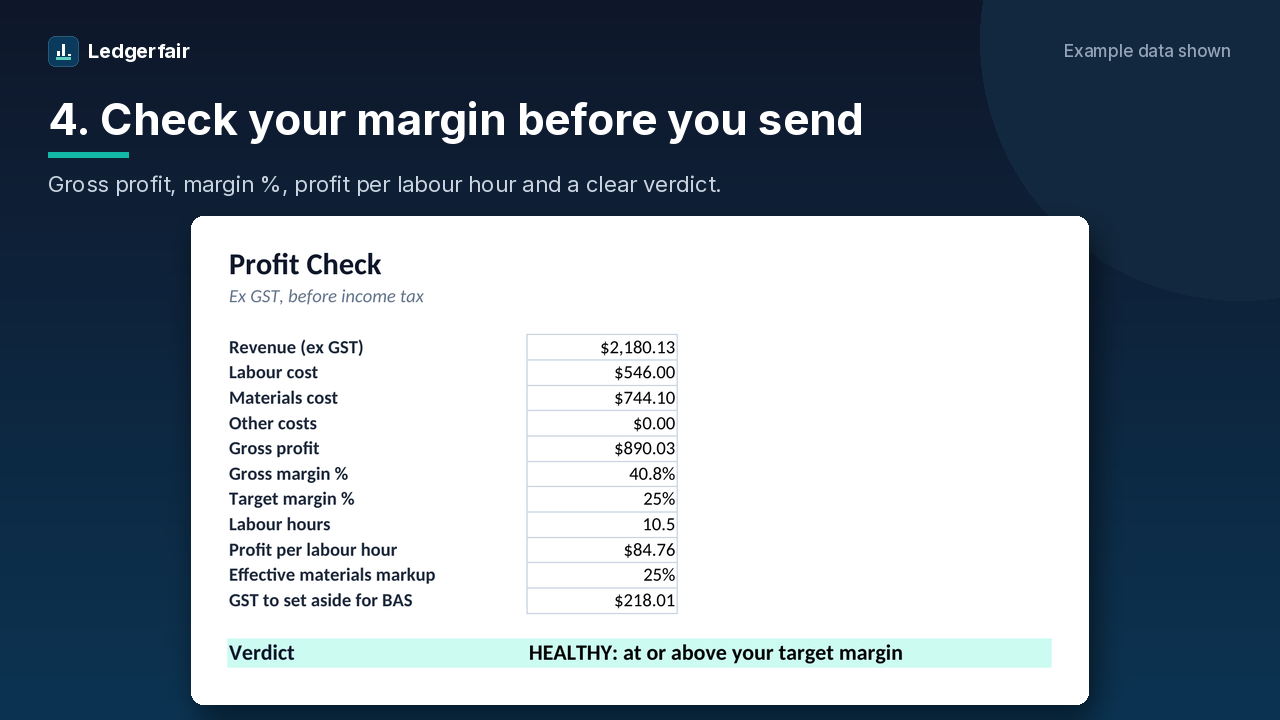
4. Profit Check: know your margin before you send
Revenue, labour, materials and other costs, gross profit, margin % against your target, labour hours, profit per labour hour, effective markup and the GST to set aside for your BAS, plus a plain verdict: healthy, thin or loss.
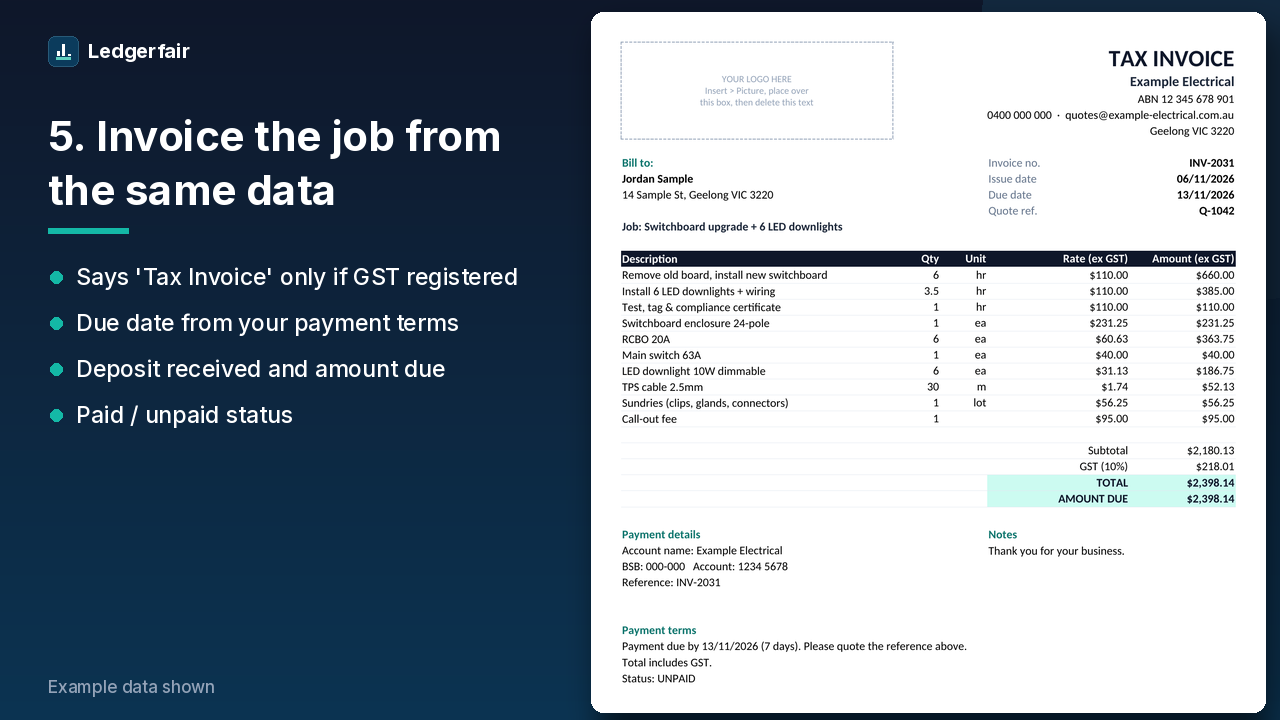
5. Invoice: from the same job data
Invoice number, issue date, due date from your payment terms, quote reference, the same line items and bank details, deposit received, amount due, and paid/unpaid status. It says Tax Invoice only when you're GST registered, otherwise Invoice.
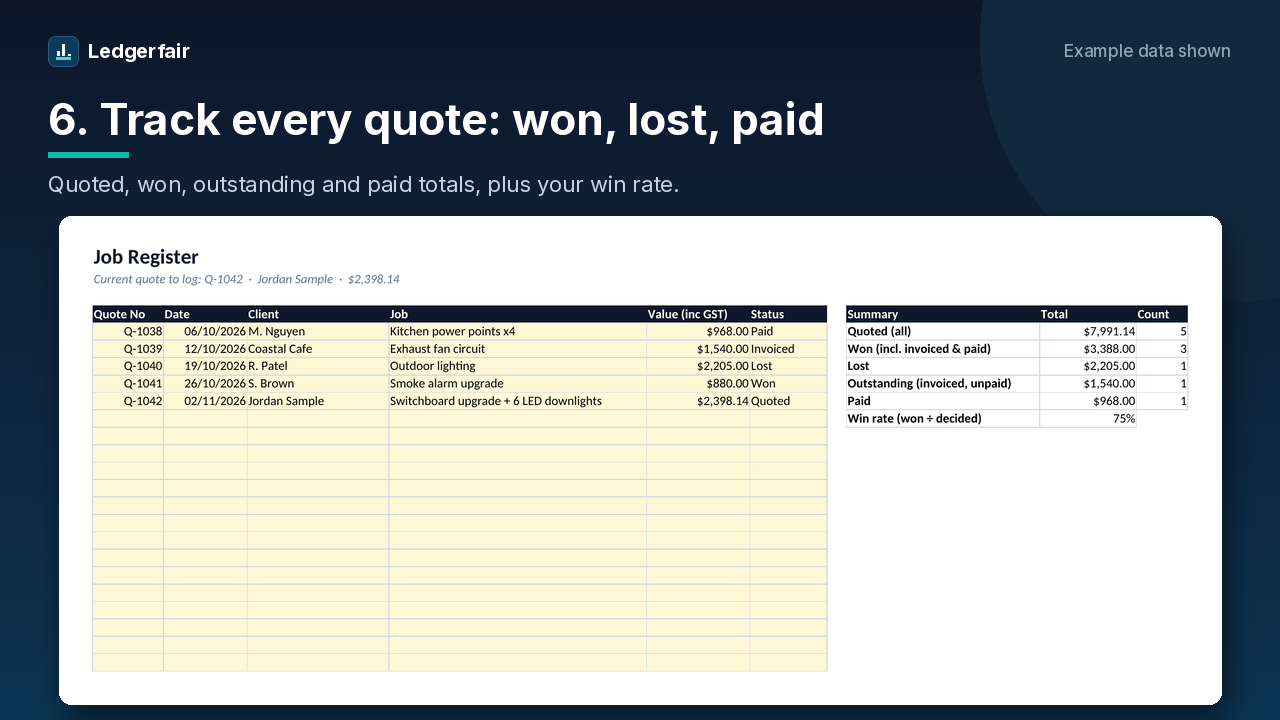
6. Job Register: track every quote
Quote No, date, client, job, value (inc GST) and a status dropdown (Quoted, Won, Lost, Invoiced, Paid). Totals for quoted, won, lost, outstanding and paid, plus your win rate. Settings shows the next quote number (highest in the register + 1).
Plus a How To Use sheet at the front, and ready-made Electrician, Plumber and Carpenter versions with example line items.
See it in action
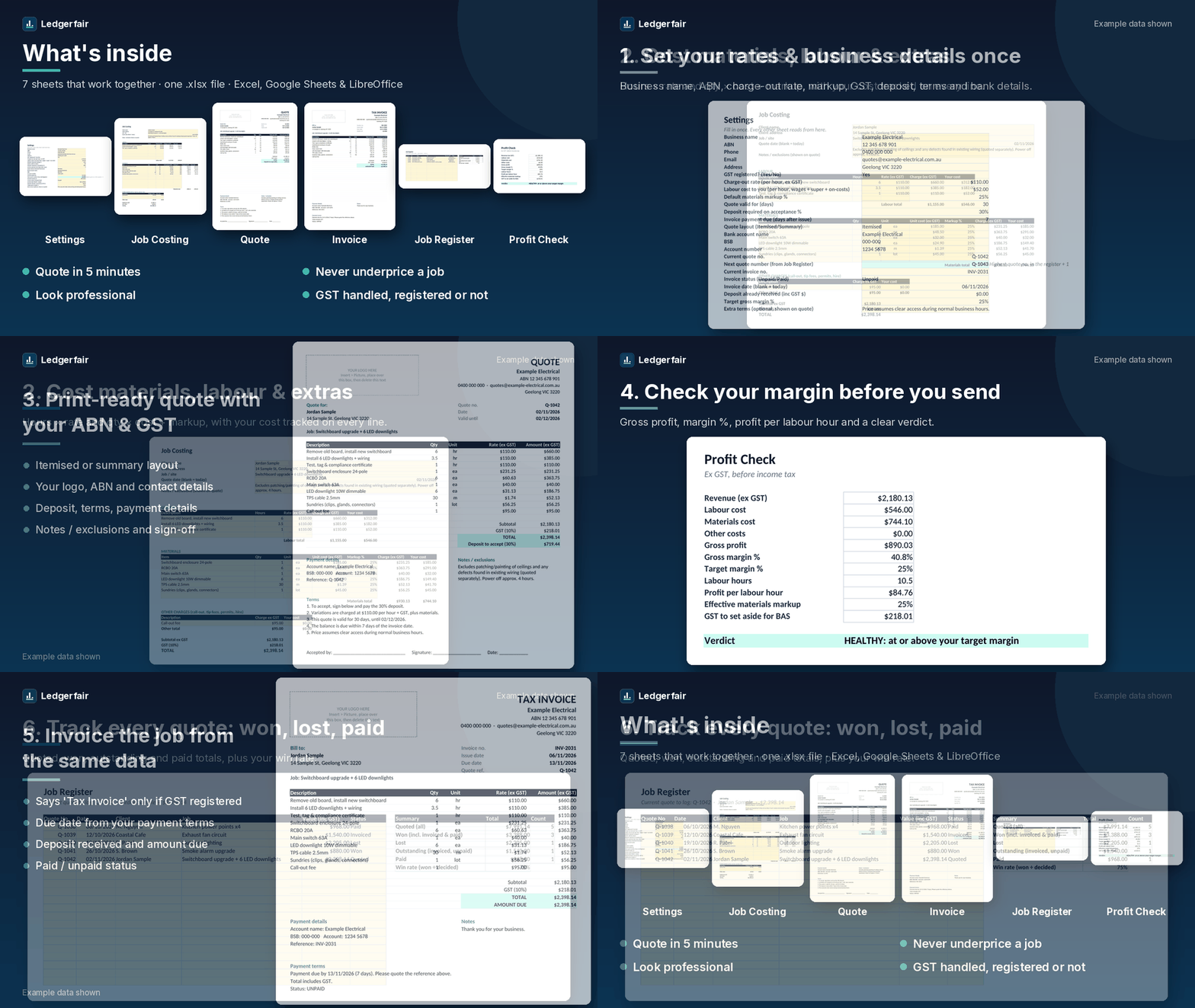
How it works
- Set up once: fill in the yellow cells on Settings.
- Cost the job: enter labour, materials and extras on Job Costing and check your margin on Profit Check.
- Send it: print or save the Quote as a PDF. When the job's done, the Invoice is ready to go.
Not sure what to charge per hour? Work it out first with the free tradie charge-out rate calculator.
Just need a simple quote?
Grab the free simple quote template (.xlsx). It's a one-page quote with a GST toggle, and no costing, invoice or register.
FAQ
Does it work on a Mac?
Yes. Open it in Excel for Mac (2016 or later or Microsoft 365), or upload it to Google Sheets for free. Apple Numbers isn't tested or supported.
Does it work in Google Sheets?
Yes. Upload the .xlsx to Google Drive and open it with Google Sheets. It uses only standard functions that work in Excel, Google Sheets and LibreOffice. No macros.
Can I add my logo?
Yes. The Quote and Invoice have a logo box. Insert your logo as a picture over it and delete the placeholder text. The file is unlocked, so you can change colours, wording and terms.
I'm not registered for GST. Does it still work?
Yes. Set GST registered to No on Settings. The quote shows GST (not registered) with $0 GST, and the invoice is titled Invoice instead of Tax Invoice.
Which trades is it for?
Any trade that quotes labour plus materials. You get a blank version plus Electrician, Plumber and Carpenter versions with example line items to edit or delete.
What do I get when I buy?
An instant download from Payhip: the .xlsx workbook (generic plus trade versions). Use it for as many jobs as you like.
What if it doesn't work for me?
If the file is faulty or not as described, contact us for a fix or refund at ledgerfair.help@gmail.com. This doesn't limit your rights under the Australian Consumer Law.
Is this tax advice?
No. It's a general tool, not tax or financial advice. Check GST and BAS questions with a registered tax or BAS agent.